// Use case
GraphQL API load testing made simple
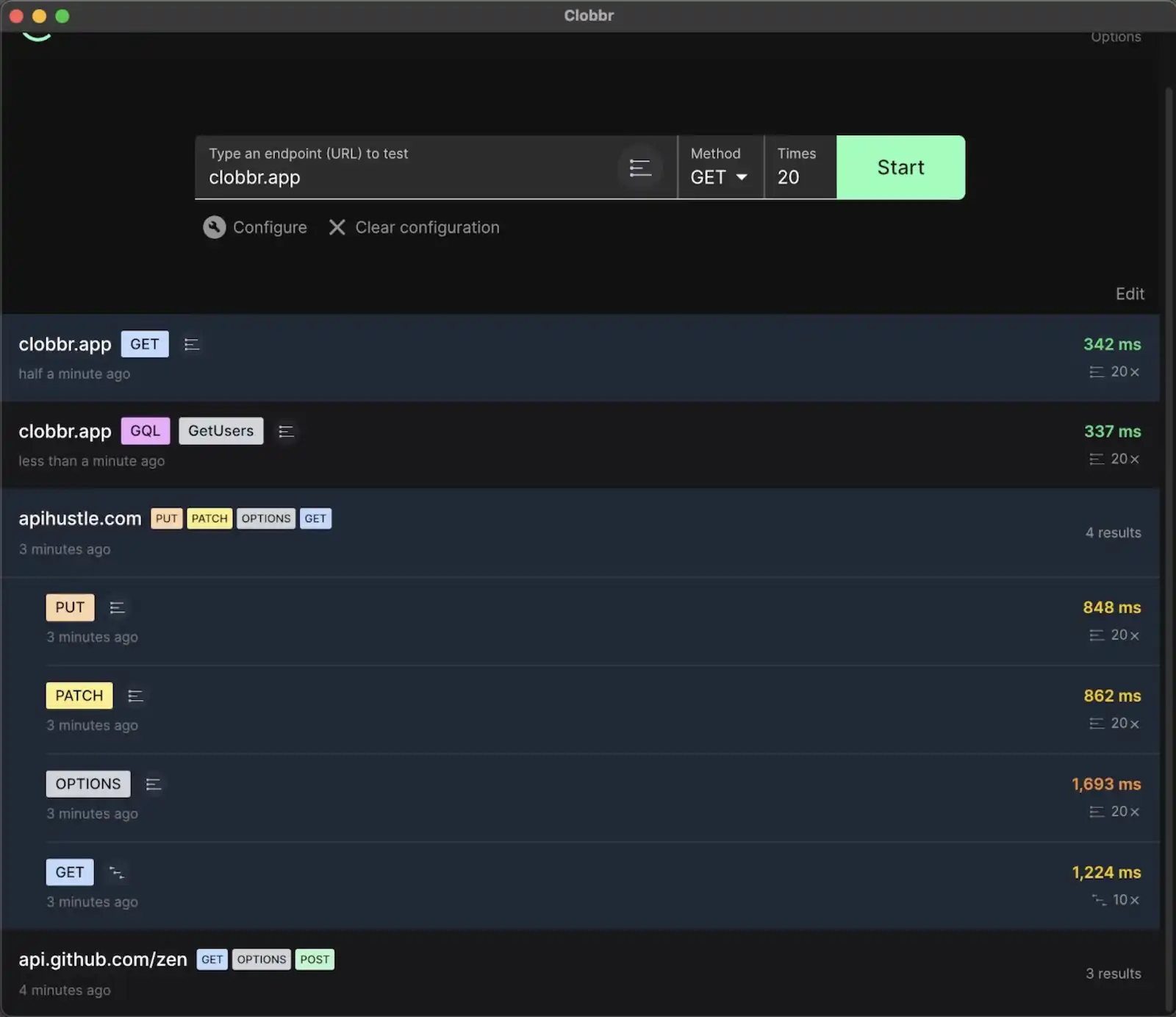
Clobbr auto-detects GraphQL, splits stats per operation, and handles queries, mutations, and variables without a single line of script. No manual POST encoding, no separate dashboards, no cloud uploads.




The challenges of load testing GraphQL
GraphQL flips the assumptions most load testing tools are built on. Four things that make it harder than a plain REST endpoint:
- One URL, many operations. Every request hits the same endpoint. A tool that aggregates per-URL gives you a meaningless combined stat.
- Queries vs mutations behave differently. Reads and writes stress different layers of your stack. Averaging them hides the actual bottlenecks.
- Field resolvers can be nested and slow. A single query can trigger a cascade of backend calls. Naïve load tests miss the N+1 problem entirely.
- Auth often involves short-lived tokens. Bearer tokens, signed requests, scoped session headers. Static headers in your load tester won't cut it.
Automatic GraphQL detection in Clobbr
When you set up a run, Clobbr inspects the payload. If it sees a GraphQL shape (a query or mutation field in the body), it switches into GraphQL mode. That means:
- Stats are tracked per operation, so a slow mutation doesn't hide behind fast queries.
- The UI shows the operation name and type alongside timings, so you're reading a chart, not decoding JSON.
- Historical comparison across runs works per-operation too, handy when you land a resolver change and want to see if p95 moved.
You don't flip a toggle or pick a mode. Just paste your payload.
Setting up a GraphQL load test in Clobbr
The fastest path, start to finish:
- URL: paste your GraphQL endpoint (e.g.
https://api.example.com/graphql). - Verb: POST (GraphQL over HTTP uses POST by convention).
- Headers: set
Content-Type: application/jsonand your auth header. - Payload: drop in a JSON body with your query and variables.
- Iterations: start with 100 sequential to see latency, then re-run at 500 parallel to see concurrency behavior.
Interpreting query vs mutation stats
With per-operation stats in front of you, the signal sharpens. Typical patterns:
- Query p50 low, p95 spikes: one or more resolvers is triggering an unbatched DB call. Look at DataLoader usage or N+1 suspects.
- Mutation p50 higher than query p50: normal. Writes hit the database and your write-path caches.
- Mutation p95 ≫ query p95: lock contention or write amplification. Increase concurrency in Clobbr and look for non-linear degradation.
- Parallel run fails where sequential passed: your service has a concurrency bottleneck: connection pool, worker count, or a shared mutex.
Authentication headers for GraphQL
Static headers work for a session token pasted in during a local test. Anything else, like a JWT with a short TTL, a signed header, or per-request session rotation, benefits from Clobbr's scripted headers. Write a tiny inline script that computes or refreshes the header before each iteration batch, and you won't hit 401s mid-run.
// FAQ
Frequently asked questions
Why is GraphQL load testing different from REST load testing?
Does Clobbr really detect GraphQL automatically?
How do I send GraphQL variables?
query field, same shape as a normal GraphQL client: { "query": "...", "variables": { "id": "42" } }. Clobbr's payload editor has JSON validation and autocomplete, so you'll see errors before you fire the test.Can I test authenticated GraphQL endpoints?
Should I load test queries and mutations together?
How is this different from load testing a GraphQL API with k6 or Apache Bench?
// Related
Related pages
Blog: How to Load Test a GraphQL API
Full step-by-step tutorial: picking representative operations, handling auth, interpreting per-operation stats.
Compare: Clobbr vs k6
Why k6's lack of native GraphQL handling is a pain, and how Clobbr solves it.
CI/CD load testing
Run the same GraphQL test on every pull request via the Clobbr CLI.
REST API load testing
Everything above, applied to classic REST endpoints.
// Ship it
Try Clobbr for GraphQL load testing
Download the app for macOS or Windows, or install @clobbr/cli from npm. First test takes under a minute. No account, no cloud.
Lifetime license · macOS, Windows, CLI · no subscription · available Included on Setapp