// Use case
REST API load testing: fast, local, repeatable
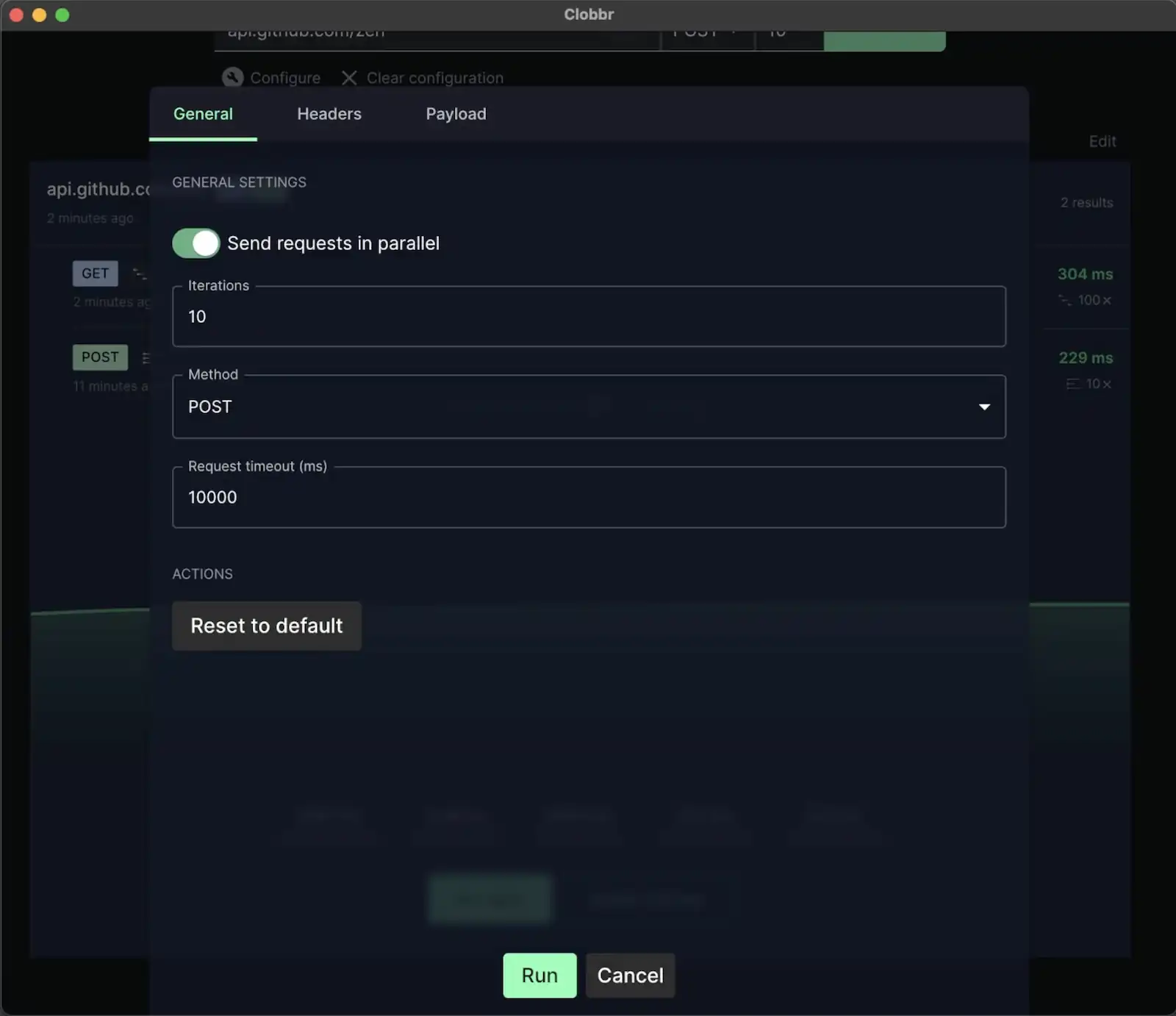
Hammer a REST endpoint with hundreds or thousands of requests in sequence or parallel. Full headers, payloads, auth, and percentile stats. Nothing leaves your machine, and the CLI slots straight into CI when you're done exploring.




Why load test REST APIs at all?
Functional tests tell you the endpoint responds correctly for one request. Load tests tell you what happens when 100, 500, or 5000 clients hit it at once. Three things surface that nothing else catches:
- Connection-pool saturation. A database or upstream service that's fine under light load becomes the bottleneck under concurrency.
- Tail latency blowouts. Your average stays low while p99 climbs into multi-second territory, and your users feel it.
- Memory and GC pressure. Sustained load reveals allocation patterns and garbage-collection pauses that one-shot traffic hides.
You don't need a load testing lab to see any of this. You just need a tool that makes it fast to configure a realistic request and re-run it.
Covering every HTTP verb (GET / POST / PUT / PATCH / DELETE)
Clobbr supports every standard HTTP verb. What changes per verb:
- GET. No body. Test read paths, caching, CDN/edge behavior.
- POST. JSON body. Test write paths, validation, rate limits.
- PUT / PATCH. JSON body targeting a specific resource. Test update paths, optimistic locking, version checks.
- DELETE. Usually no body. Test idempotency, soft vs hard delete paths, cascading side-effects.
Mix verbs across runs to build a realistic traffic pattern, not just a single-verb saturation test.
Headers and authentication
Clobbr's header editor has two modes:
- Plain text: paste key-value pairs. Perfect for a session token, content type, accept headers, feature flags.
- Scripted: a small inline script runs before each batch. Use this for refreshable bearer tokens, HMAC-signed requests, or headers that need a timestamp.
If your auth flow needs a full OAuth round-trip on every request, you've either got a bigger infrastructure question to answer or you want to test the auth service directly as its own Clobbr run.
JSON payloads with the built-in editor
Clobbr's payload editor isn't a plain textarea. It has JSON validation, syntax highlighting, and autocomplete, so you catch malformed payloads before the test instead of debugging 1000 identical 400s after.
For very large payloads, the editor still handles them fine (the same editor tech powers many IDEs). If your payload varies per request, Clobbr's scripted payload option can generate it dynamically.
Running the same test in CI
Everything you configure in the GUI translates directly to @clobbr/cli. Run a canary load test on every pull request, gate the build on p95 or success-rate thresholds, and export CSV / JSON / YAML for historical tracking.
See the CI/CD load testing page for copy-pasteable GitHub Actions and GitLab CI workflows.
// FAQ
Frequently asked questions
How many requests do I need to send for a valid load test?
Should I run sequential or parallel requests?
How do I handle authenticated endpoints?
Can I test endpoints that need a specific HTTP verb like PATCH?
Does Clobbr store my request data on a server?
How do I load test a REST API in CI?
@clobbr/cli in your pipeline and run a test. Use thresholds to fail the build if p95 regresses or success rate drops. See the CI/CD page for copy-paste workflows.// Related
Related pages
CI/CD load testing
Run the same REST load test on every pull request using the Clobbr CLI.
GraphQL API load testing
For GraphQL endpoints. Clobbr auto-detects and splits stats per operation.
Compare: Clobbr vs Postman
Postman without the subscription and cloud account. Lifetime license, local-only.
Compare: Clobbr vs Apache Bench
A modern ab alternative with GUI, JSON payloads, and real result history.
// Ship it
Try Clobbr for REST load testing
Download for macOS or Windows, or install the free CLI from npm. First test in under a minute. No account, no cloud, no subscription.
Lifetime license · macOS, Windows, CLI · no subscription · available Included on Setapp